Creative Coloring Book Adventure
Reviews
Creative Coloring Book Adventure delivers exactly what its name suggests: a digital coloring activity with no added pressure. The lack of time limits, scores, and complex rules makes it a good fit for preschoolers or early elementary children who enjoy art but may find competitive games frustrating. The undo feature and mouse/touch compatibility remove common barriers. The main limitation is the absence of confirmed save or share options, which may disappoint families hoping to keep finished artwork. As a quiet creative outlet, it serves its audience well.
Description
A No-Pressure Coloring Space
Creative Coloring Book Adventure removes the usual pressures of game design. There are no scores, countdowns, or fail states. The entire experience revolves around selecting a picture, picking colors, and filling outlined sections. This structure makes it accessible to very young children who can tap or click without needing to read instructions or learn complex controls. The absence of competition means the only goal is the act of coloring itself.
Simple Tools, Open Choices
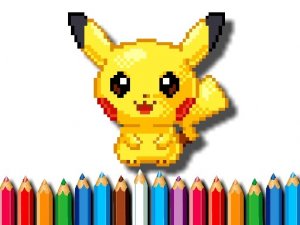
The interface presents a collection of friendly images and a color palette. Players tap or click any area to fill it with the selected color. An undo button lets them reverse mistakes or test different combinations without penalty. Because there is no time limit, children can work at their own pace, switch colors freely, and return to a picture later. The controls respond to both mouse and touch input, so the game works on desktop and mobile devices without adjustment.
Designed for Young Artists
Every element supports early creative exploration. The image selection leans toward cute, approachable subjects that appeal to children. Color recognition and fine motor skills develop naturally as players choose shades and target specific sections. Parents or caregivers can turn a session into a conversation by asking why a child picked a certain color, extending the activity beyond the screen. The game does not track progress or demand completion, so each picture remains a personal project rather than a task to finish.








Editorial Notes