Wobble Balance 3D Arcade Challenge
Reviews
Wobble Balance 3D Arcade Challenge combines balance and timing into a single arcade loop. The wobbling stickman reacts to every input, so progress depends on steady, small adjustments rather than speed. The giant doll's random turns add a stop-and-go pressure that punishes impatience. Simple graphics and family-friendly content make it easy to pick up, while increasing difficulty gives experienced players a reason to keep practicing. The main limitation is the narrow scope: it is a short-session game, not a deep progression system.
Description
Balancing a Wobbling Stickman
Wobble Balance 3D Arcade Challenge puts you in charge of a stickman character whose every step causes a visible wobble. The physics engine translates your mouse or touch input into movement, so small adjustments matter more than large, rushed gestures. You tilt or drag left and right to keep the character upright while walking forward. Because the character reacts naturally to your inputs, each step feels slightly different, and maintaining balance becomes a continuous, active task rather than a one-time setup.
Reading the Doll's Turns
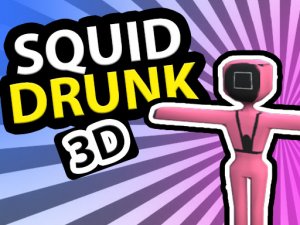
A giant doll stands ahead and turns around at random intervals. You can only move when the doll is facing away. If you are moving when the doll looks back, the game ends. This creates a stop-and-go rhythm: you watch the doll, wait for the turn, then advance carefully before it rotates again. The challenge is not speed but restraint, since the doll's timing is unpredictable and punishes any movement caught in its line of sight.
Why Small Movements Matter
The combination of balance and timing means you cannot simply hold forward. Moving too fast increases the wobble and raises the risk of falling over, while moving too slowly may leave you exposed when the doll turns. Successful rounds come from controlled, steady inputs that keep the stickman upright and ready to stop instantly. Each attempt teaches you to stay calm and plan your steps, and the difficulty increases as you progress, encouraging repeat play.
Controls and Accessibility
Mouse and touch controls are supported, and the input scheme is easy to learn: tilt or drag left and right to balance while walking forward. The simple graphics keep the focus on gameplay, and the family-friendly content contains no violence or inappropriate themes. Quick sessions fit into short breaks, making the game accessible for beginners while still offering a challenge for experienced players who want to improve their distance and timing.





Editorial Notes