Crossroad Flow Controller
Reviews
Crossroad Flow Controller keeps its rules minimal: watch the traffic, tap once, and judge whether the gap is safe. The difficulty grows through denser and faster vehicles rather than new mechanics, which makes it easy to start but hard to sustain. The overhead view and immediate collision feedback support quick learning. It suits players who enjoy short, repeatable timing challenges in a browser.
Description
Reading the Gap
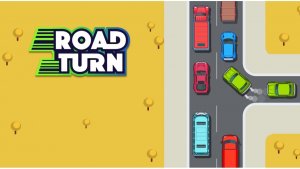
Every session in Crossroad Flow Controller starts with the same question: is this the right moment to let the next car turn? Vehicles arrive in a steady stream, and you click or tap once to release a waiting car onto the main road. The action itself is simple, but the decision is not. You need to judge the spacing between oncoming vehicles and commit before the gap closes.
There is no meter to fill or resource to manage. The pressure comes entirely from the traffic rhythm, and that rhythm changes as the session continues. A turn that works at the start of a run can fail a minute later when the same gap appears half a second shorter.
What Happens When You Guess Wrong
Crossroad Flow Controller gives immediate feedback for both outcomes. A successful merge triggers a small visual cue that confirms the car is safely in the flow. A collision stops the action and shows what went wrong, so the mistake is visible rather than mysterious. That clarity matters because the game asks you to learn from timing errors instead of memorizing fixed solutions.
The overhead view keeps every vehicle distinct against a bright, uncluttered intersection. Because the screen is easy to read at a glance, new players can focus on the timing problem rather than on parsing the display.
How the Pace Escalates
Early traffic moves at a relaxed speed, giving you room to observe and adjust. As a run progresses, more cars enter the junction and their speed increases. The result is a difficulty curve built on density and velocity rather than on new rules. You are always doing the same thing, but the margin for error shrinks.
Traffic patterns also shift, so two sessions rarely play out the same way. Adapting to a faster, denser stream is the core skill the game asks you to develop over repeated attempts.
Playing Anywhere
Crossroad Flow Controller runs in any modern web browser on desktop and mobile, with no download or installation. A mouse click handles the action on a computer, and a tap does the same on a touchscreen. Sessions can be as short as a coffee break or as long as you want to keep a run going.









Editorial Notes