Beat Precision: Endless Tempo Challenge
Reviews
Beat Precision strips rhythm gaming down to its essentials: one song, one button, and your sense of timing. The lack of menus, power-ups, or multiple tracks is a deliberate choice that keeps the focus on accuracy. The game is easy to pick up but demands consistent concentration to avoid an early end. It works well as a short break activity or a focused practice session. The full-screen mode helps eliminate distractions, and the instant restart means you can try again without delay. While it lacks variety, its purity of design is a strength for those who enjoy testing their reflexes.
Description
Core Gameplay Loop
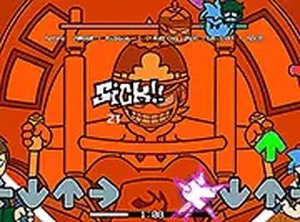
Beat Precision centers on a single, carefully selected segment of music. Players must press the spacebar each time a visual cue aligns with a target zone on the screen. Success depends on accurate timing rather than complex button combinations. The game tracks how many notes you hit correctly, and missing too many in a row will end the session. This straightforward loop makes it easy to start playing, but the precision required keeps it engaging for repeat attempts.
Design for Focus
The interface is intentionally minimal. Notes appear in a consistent pattern, allowing players to concentrate on the audio cues. The full-screen mode removes browser clutter, creating a more immersive environment. This design choice supports the game's core challenge: maintaining steady attention over the duration of the track. There are no power-ups, multipliers, or visual distractions to interfere with the timing mechanic.
Accessibility and Skill Progression
Because the controls are limited to a single key, Beat Precision is accessible to anyone with a keyboard. New players can grasp the objective within seconds. However, the game rewards practice. As you become familiar with the note sequence, your ability to anticipate and react improves. This creates a natural skill progression where early failures give way to more consistent performances. The game does not include adjustable difficulty levels, so the challenge remains constant.
Technical Requirements
Beat Precision runs entirely in a web browser. It requires no downloads, installations, or account creation. The game is optimized for desktop and laptop computers, as a physical keyboard is necessary for the spacebar input. It may not function properly on mobile devices or tablets. An internet connection is needed to load the game, but once running, it does not stream additional data during play.
Compatibility
Faq
Can I play Beat Precision on a mobile phone or tablet?
Does Beat Precision save my high score or progress?
Is there more than one song or track available in Beat Precision?
What happens if I miss too many notes in Beat Precision?
Are there any visual or audio settings I can adjust?
Does Beat Precision work with any keyboard, or are specific keys required?
Games You Might Enjoy

Pearl Launch: Puffer Fish Puzzle

Vehicle Match 3 Puzzle Game

Bouncing Ball Clicker Arcade

Evo Target Strike Action Game

Hop Quest: Infinite Journey

Hoop Jump Basketball Challenge

Surprise Course: Reflex Platformer

Coloring Fun for Kids Online Game

Creative Coloring Book Adventure

Comments
0 comments