Obstacle Course Dash 3D
Reviews
Obstacle Course Dash 3D targets players who want fast, low-commitment races they can start in a browser. Its strengths are the simple WASD-and-spacebar control scheme and the variety of stage layouts, which keep runs from feeling identical. Online lobbies and private rooms extend replay value through direct competition. The main limitation is that depth comes from repetition rather than a wide feature set, so players seeking progression systems may find it lean.
Description
Course Layouts and Visual Themes
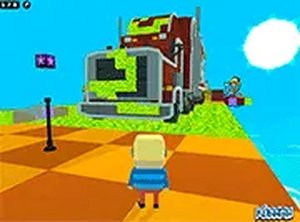
Each stage in Obstacle Course Dash 3D has its own visual theme and arrangement of hazards. Some routes feature narrow walkways suspended high above the ground, demanding careful footing. Others rely on moving blocks that require precise timing to cross. The bright, varied color palette helps every level feel distinct, so players cannot rely on a single memorized pattern. Because layouts change frequently, adapting your approach matters as much as raw speed.
Moment-to-Moment Racing
The core loop is straightforward: control your character, clear the obstacles, and cross the finish line before everyone else. Platforms, barriers, and gaps force constant decisions about when to jump and where to land. Momentum is easy to lose and hard to regain, so efficient route-finding separates fast runs from slow ones. Quick reactions and spatial awareness are the two skills the game leans on most.
Online Multiplayer Races
Racing against other players online turns each stage into a direct contest. Seeing opponents' avatars on the same course adds pressure and makes every run feel different, since outcomes depend on the skill and tactics of the people you face. You can join public lobbies or set up private rooms to race with friends. This competitive layer is what gives the game its replay value beyond simply beating your own times.
Controls and Browser Performance
The control scheme is deliberately simple. Arrow keys or WASD handle movement, and the spacebar jumps. That low barrier to entry means players of all ages can start quickly, while experienced racers still benefit from precise inputs. The game runs in a standard desktop web browser with a full-screen option, and a stable internet connection is recommended for online races.
Improving Through Repetition
Basic movement is easy to learn, but mastering the courses takes practice. Replaying a stage naturally reveals shortcuts and more efficient movement techniques. The game supports a trial-and-error approach, where each attempt builds a clearer mental map of the layout. Watching your times drop and your rankings rise gives the progression a satisfying shape.









Editorial Notes