Frame by Frame: Animated GIF Maker
Reviews
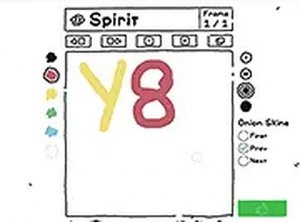
Frame by Frame: Animated GIF Maker offers a no-frills introduction to hand-drawn animation. Its strength lies in the direct workflow: draw, add frames, preview, and export. The browser-based design removes installation barriers, and the looping GIF output makes sharing easy. However, it lacks advanced features like layers or onion skinning, and it's optimized for desktop use. It suits hobbyists and educators teaching animation basics, not professionals seeking complex tools.
Description
Drawing Frames One at a Time
Frame by Frame centers on a simple pencil tool and a blank canvas. You draw a single image, then add a new blank frame to draw the next moment. Each drawing represents one point in time. By building a series of these frames, you create the illusion of motion when they play in order. The process mirrors traditional hand-drawn animation, but everything happens in a web browser.
Managing Your Sequence
A dedicated button adds new frames to the timeline, and the interface shows the current frame count so you always know where you are in the sequence. A preview feature plays your assembled frames in a continuous loop. This immediate feedback lets you check how the motion flows and spot timing issues or drawing mistakes before you finalize the project. You can adjust timing or redraw sections directly in the tool.
Exporting and Sharing
Once the sequence is complete, the tool exports your work as a standard GIF file. This format works across social media, websites, and messaging apps. The exported file keeps the looping behavior you saw in the preview, so sharing your animation is straightforward. There's no need for additional conversion software.
Browser-Based and Accessible
The entire application runs within a web browser, so there's nothing to download or install. It's optimized for mouse and keyboard on desktop systems, which gives you responsive control while drawing. Anyone with an internet connection and a modern browser can use it. The tool is designed for accessibility, making it easy to start animating right away.
Learning Through Practice
New users are encouraged to start with simple subjects like a bouncing ball or a waving hand. These exercises teach how small changes between frames create smooth motion. Planning your sequence ahead of time helps maintain consistency. Frequent use of the preview function allows for quick corrections and refinement of your technique. The educational value comes from hands-on experimentation with frame-by-frame principles.










Editorial Notes