Sprout Valley Farming Adventure
Reviews
Sprout Valley Farming Adventure targets players who prefer building over battling. Its strengths are the clear early loop, the absence of a strict timeline, and the way trading, fishing, and tool crafting branch off the core farming activity. The trade-off is that the input describes a familiar farming-sim formula rather than a novel hook, so players seeking complex systems may find it light. Families and casual browser players are the most likely fit.
Description
Turning a Clearing into a Farm
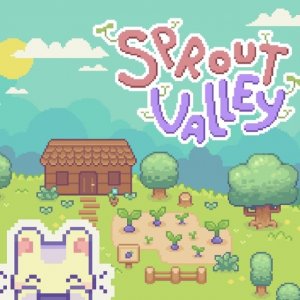
Sprout Valley Farming Adventure begins with very little: a small clearing and a few fruit trees. The immediate goal is survival and setup rather than rapid expansion. You collect fruit from those trees and interact with small animals to gather basic food supplies. Those early resources keep you going and give you something to trade with in-game merchants. Because the starting area is modest, every new plot or tool feels like a deliberate step forward rather than a routine upgrade.
The Farming and Trading Loop
Once you have a reliable food source, the central activity becomes preparing small plots and growing vegetables. This introduces the familiar cycle of planting, tending, and harvesting, but the game ties it directly to the economy. Vegetables are the main product you sell, and trading is how you earn currency for new items. Fishing and tool crafting appear later as secondary income streams, so you are not locked into a single grind. Crafted tools can be sold as well, which gives players a reason to split time between the field, the water, and the workshop.
Controls, Pace, and Who It Suits
Movement and interaction use keyboard controls, and the interface is built to be understood without a tutorial-heavy onboarding. Progression is gradual: new opportunities unlock as you invest time and resources into the valley. There is no strict timeline and no competitive pressure, which makes the game approachable for younger players and for anyone who wants a low-stakes pastime. It runs in modern browsers, so sessions can be short or long depending on how much you want to accomplish.





Editorial Notes