Frame by Frame: Animated GIF Maker
Reviews
This online GIF creator strips away complexity, letting users focus on the fundamentals of animation. The pencil tool is basic but functional, and the ability to preview sequences instantly helps refine motion. It is ideal for educators introducing animation concepts or hobbyists experimenting with simple loops. The lack of advanced features like layers or onion skinning keeps the learning curve low. For anyone wanting to understand how moving images are built one frame at a time, this tool provides a solid starting point without overwhelming options.
Description
Core Creative Workflow
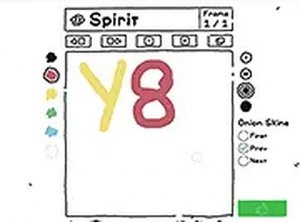
The primary activity involves sketching individual frames using a straightforward pencil tool on a blank canvas. Each completed drawing represents one moment in a sequence. Users add fresh blank frames as needed, building a series of images that, when played in order, create the illusion of motion. This process mirrors traditional hand-drawn animation but in a simplified digital environment.
Frame Management & Preview
A dedicated button allows for adding new frames to the timeline. The interface displays the current frame count, making it easy to track progress. A preview feature plays the assembled frames in a continuous loop, showing how the motion flows. This immediate feedback helps users adjust timing or redraw sections before finalizing the project.
Export & Sharing Options
Once the sequence is complete, the tool exports the work as a standard GIF file. This format is widely supported across social media platforms, websites, and messaging apps. The exported file retains the looping behavior seen in the preview, allowing creators to share their animations easily with others.
Accessibility & Technical Requirements
The entire application runs within a web browser, eliminating the need for downloads or installations. It is optimized for use with a mouse and keyboard on desktop systems, ensuring responsive control during drawing. This setup makes the tool accessible to anyone with an internet connection and a modern browser.
Learning Through Practice
New users are encouraged to begin with simple subjects, such as a bouncing ball or a waving hand, to understand how small changes between frames produce smooth motion. Planning the sequence ahead of time helps maintain consistency. Frequent use of the preview function allows for quick corrections and refinement of technique.





Comments
0 comments